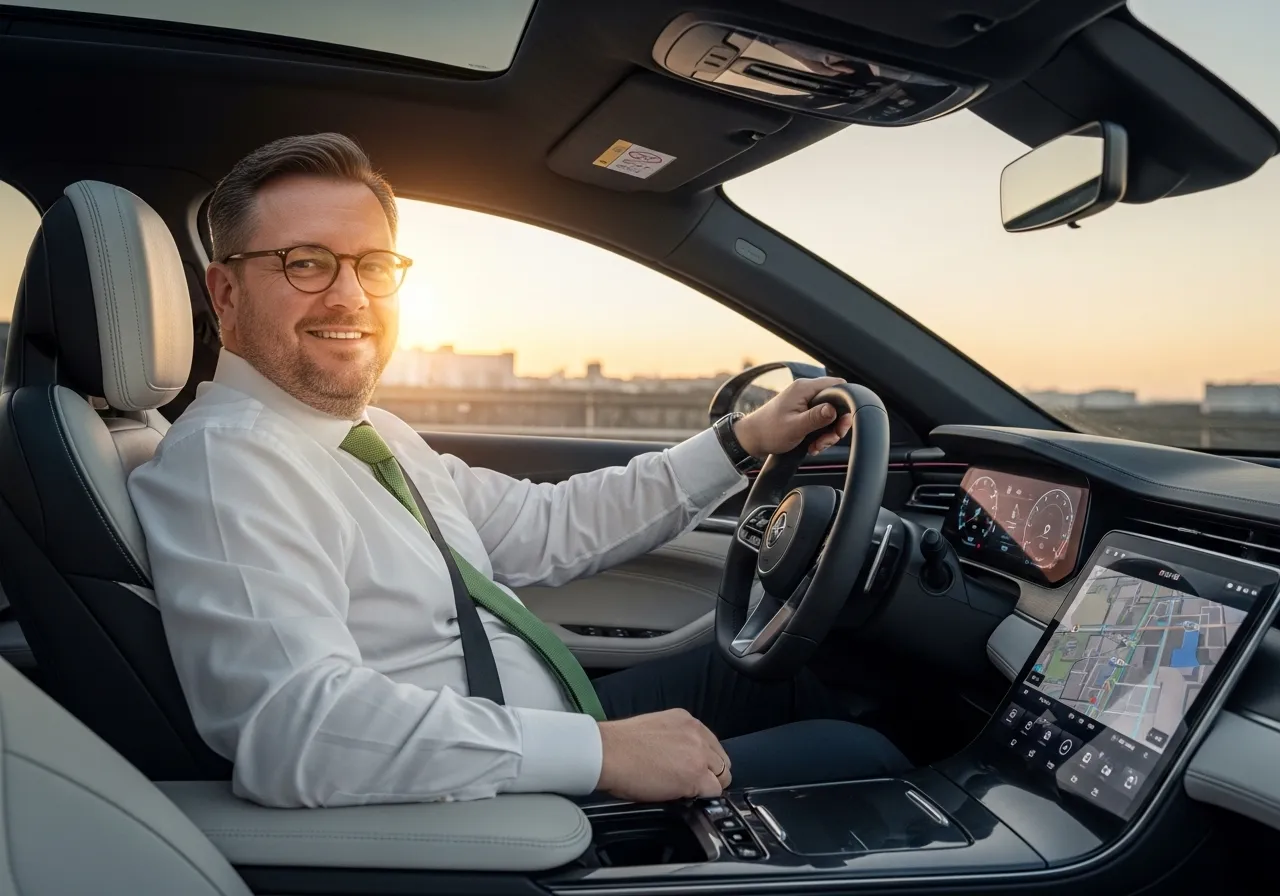
Like many things in our lives, cars have become smarter, so today’s cars are no longer just simple machines with a steering wheel, speedometer, and a few buttons. The driver’s area is now defined as a cockpit, like in airplanes, and this area is increasingly equipped with touch-sensitive digital screens.
We can describe the digitalization of car cockpits as a gradual evolution; they didn’t reach their current state overnight.
I don’t know if you remember, but when cars like the Fiat Tipo and Tempra with digital displays entered the market, they garnered great interest and appreciation. Therefore, we can say that the digitalization of cars began with the instrument panel. Classic mechanical gauges were replaced by digital screens thus opening the way for more information to be presented in a single area, and of course, for personalization options.
The digitalization of the instrument panel was followed by collaboration between car manufacturers and sound system developers and expensive systems that produced truly excellent sound began to be installed in cars. These systems have many functions; they even include navigation and the system needed to be easily controlled while in motion. Digital screens became the best solution for this scenario.
The introduction of digital displays into automobiles marked another turning point in automotive history. Spread across different parts of the vehicle – including the cockpit and the area in front of the front passenger – screens transformed and altered the experience for everyone traveling inside. Because screens took up less space than physical buttons, they quickly replaced them in managing systems with multi-layered menus.
Physical or digital buttons?
Physical buttons, located in various parts of a car, usually perform a single group of functions. For example, turning on the air conditioning, adjusting the fan speed and temperature. Their movements are mechanical, their placement is fixed and driver can usually find what they’re looking for by touch, even in driving conditions that require intense concentration.
The situation is a little different with digital screens. The function needed to perform a necessary action while driving is usually located and grouped under menus and finding what you need isn’t always easy or practical. Therefore, performing the desired function from a digital screen seems more difficult than doing it with physical buttons.
When you turn the heater knob, activate the hazard lights or adjust the mirrors, you feel something physical at your fingertips. I’m not trying to romanticize it; it provides feedback about what you’re doing in your car. Pressing a button or turning a knob simultaneously while focused on driving is therefore easy. To find the relevant menu on a digital screen, you have to look directly at it, and the feedback is usually visual. While this mechanism can be diversified with audio and haptic feedback, it largely doesn’t replace physical feedback.
There’s a situation you’re familiar with from your cell phone; software updates can change the interface, this is valid for software used in cars too. When new functions are added to the vehicle’s software, the familiar menu layout may change. In such cases, consistency is more advantageous, preventing confusion.
It’s clear that a large screen visible inside a moving car creates a modern impression. It’s even a good piece of equipment for entertaining other passengers besides the driver. However, physical buttons feel more familiar and reassuring for performing certain functions.
Physical buttons and digital displays during driving
I live in a city where I have to make an extra effort to keep my attention on the road while driving. While I don’t have one in my car, when I sit in the driver’s seat or passenger seat of my friends’ cars, the screen in front of me sometimes distracts me. Distraction while driving isn’t solely related to physical buttons or the screen; therefore, it’s not the only risk factor. The design details, user habits, and the context of the task also play a role.
Unlike manually turning a physical button to activate or deactivate a function, performing the same function via a touchscreen makes it difficult for the driver to look at the screen. Navigating complex menus with many functions listed one after another is particularly problematic, especially in and during rush hour traffic.
Digitalization brings with it a multitude of options, meaning you have to make decisions among many choices, thus increasing the time spent activating or deactivating a function. And if the UI and UX aren’t well-designed, the driver’s attention is further distracted, and the risk increases.
Physical buttons provide haptic feedback, meaning they deliver tactile feedback. Inconsistent or incomplete feedback on digital screens causes drivers to look at the screen more frequently. While physical buttons seem better for simple and frequently used functions, digital screens appear to be a more efficient option for performing complex functions.
The transformation of digital displays in light of feedback
By the 2000s, for many manufacturers, putting larger screens in cars had become almost a necessity. Because a screen in a car; especially a large one, meaned fewer parts, lower production costs, faster assembly lines, less physical servicing, and a high-tech perception.
Drivers while moving their cars, felt like they were in a Star Trek movie when they touched a few things on the large screen on the console, showing off to those sitting next to them, and even to those watching from outside.
When one manufacturer positioned a 6” screen on the console, its competitor came out with an 8”, and another, seeing that, released a car with a 10” screen.
But feedback revealed something different than expected.
The technology offered in cars has developed and diversified so much that tasks requiring quick reflexes, such as adjusting the climate control, turning on the fan for fogged-up windows, or activating the defroster, were relegated to two or three layers of menus. This meant the driver spent more time on the screen.
Especially while in traffic, and while already struggling to cope with some kind of difficulty.
The return of physical buttons.
The trend of moving buttons, designed for specific functions in cars, to digital screens came from an unexpected source: Euro NCAP.
Euro NCAP and some national safety authorities began publishing reports explicitly stating that accessing essential functions while driving via a touchscreen was risky. Cars without physical buttons received lower scores in physical tests and were given reports with notes indicating distracting interfaces.
This represents another new turning point for manufacturers
Because the issue is no longer about technological perception and design; it’s about lower safety scores and reduced sales.
For new model launches, all production models and marketing ideas have been rethought and implemented from scratch. Screens remain, but buttons for every function requiring quick access will be physical.
This has resulted in the reappearance of physical buttons for functions such as climate control, fan, volume control, and defrosting, while navigation, multimedia and other vehicle settings remain on the screen.
Access to frequently used functions continues to be provided via shortcuts using buttons located on the steering wheel.
…
We can’t technically say that the return of physical buttons is a kind of regression; it’s a kind of balancing act based on feedback from the real world.
No matter how big and brilliant a product technology offers, it ceases to be progress the moment it becomes an obstacle to the driver’s reflexes. Car cockpits will be shaped by a design philosophy that accompanies the driver, not hinders them; that supports them, not distracts them.
Because the most important screen to watch on the road is still what’s happening in the world behind the windshield…
Further links…